NetBlock Toggle is a Windows application for local network traffic control and monitoring. Toggle any app's internet access on or off in one click, set bandwidth limits and delays, and switch rules with a hotkey.
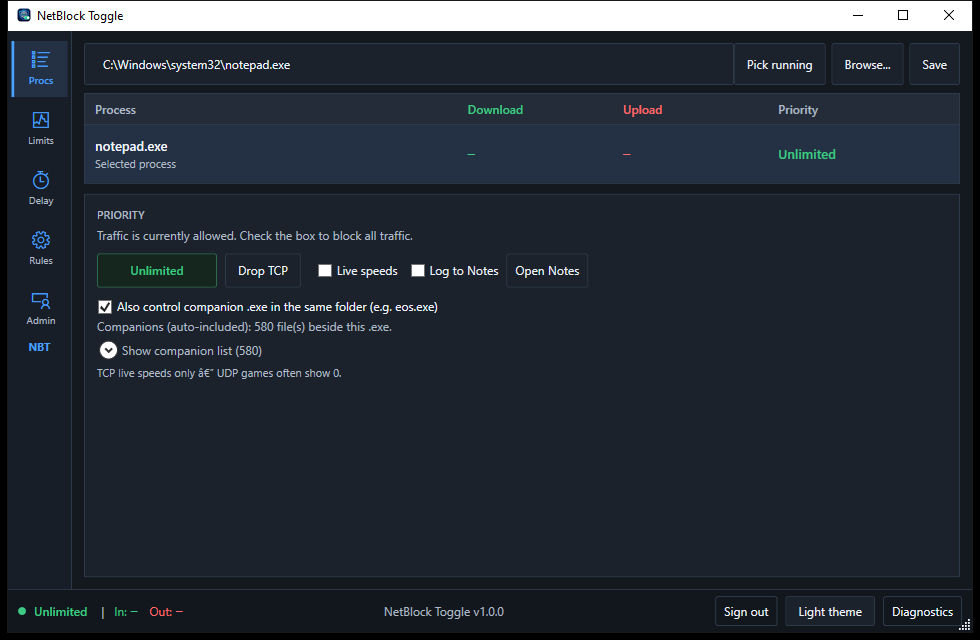
Real screenshots from NetBlock Toggle 1.0.0 · click any screenshot to enlarge
Keep browsing, calls, and games smooth even while a big download or backup runs in the background. NetBlock Toggle gives slow-but-steady background apps just enough bandwidth, and hands priority to whatever you are using right now.
Create rules that limit, delay, or block traffic for any application. Give each rule a hotkey and flip it on or off without leaving your game or call. Limit and Delay rules can run at the same time.
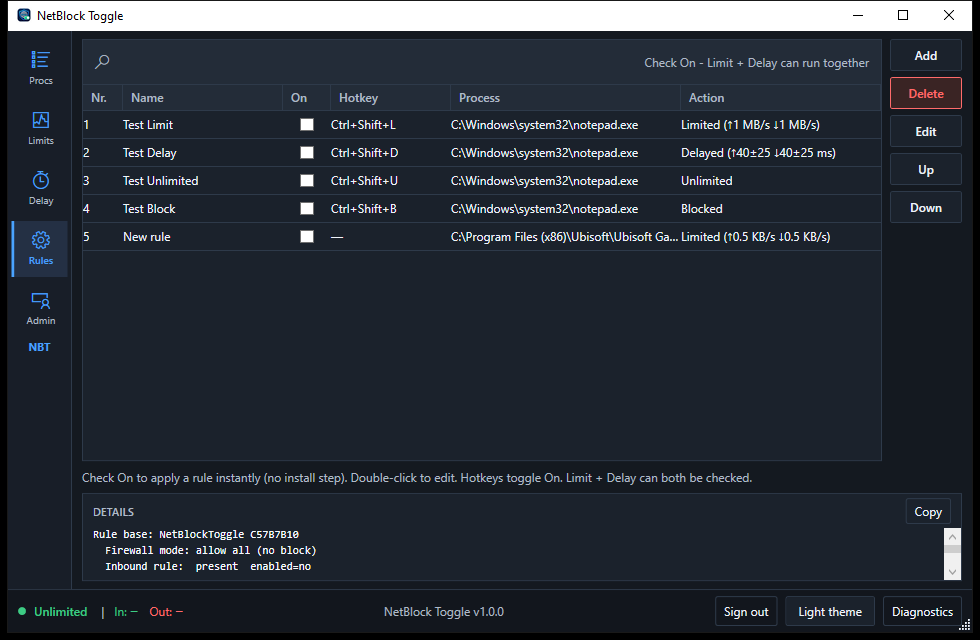
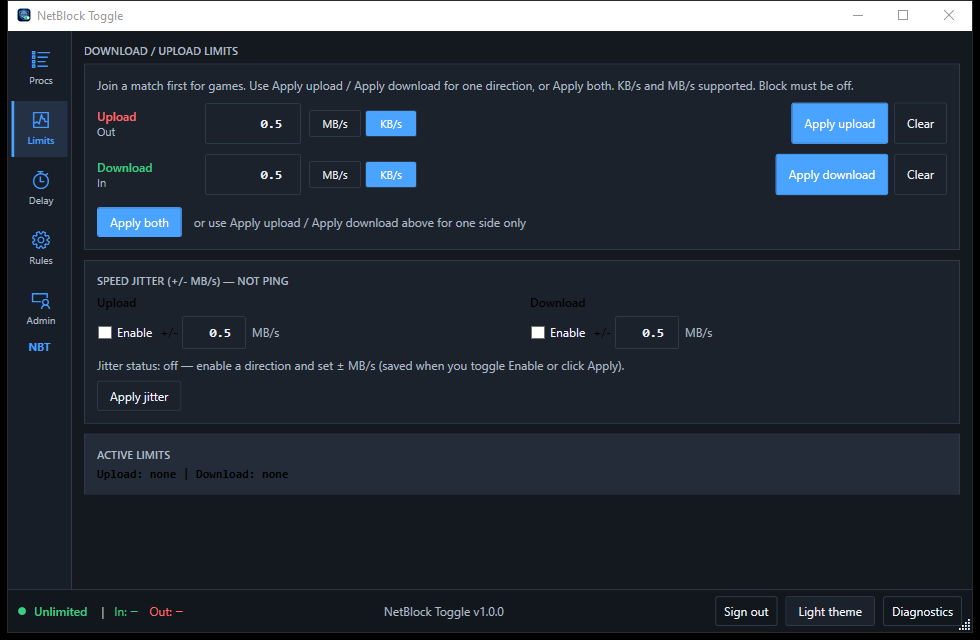
Cap upload and download speed for one app in KB/s or MB/s, for one direction or both, and see which application, service, and protocol each connection belongs to so you can stop unwanted traffic the moment it starts.
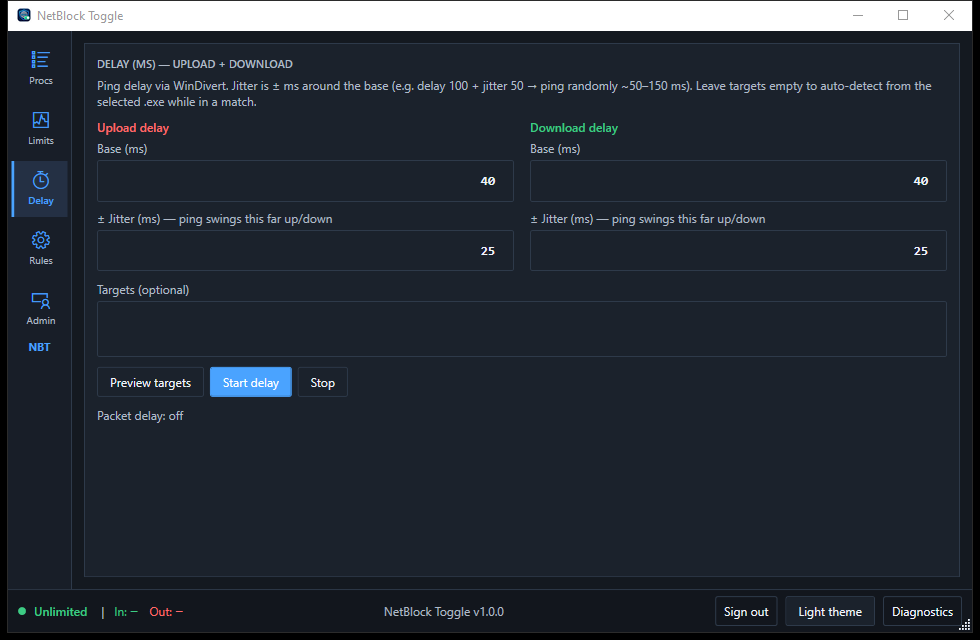
Set a base delay in milliseconds for upload and download, and add jitter so ping swings around it like a real connection. Leave the targets empty and NetBlock Toggle detects them from the selected app automatically.
Set priorities and rules so each application gets exactly the bandwidth it should, no more and no less.
Live graphs and statistics show what is using your connection right now, down to the individual process.
Runs entirely on your PC with no cloud account and no data leaving your machine. Your traffic stays yours.
Automate rules and read statistics from scripts, and manage many machines at once using tags.

Version 1.0.0 · Windows 10/11 (64-bit). Enter your activation key to unlock the installer. After install, activate in the app with the same key.
Install, create your first rule, and block an app in under two minutes.
Every rule type, priority level, and scheduling option explained.
Endpoints, authentication, and examples for automating NetBlock Toggle.
Questions, licensing, and help. We reply within one business day.
